Graphics & Animation Certification in Roorkee
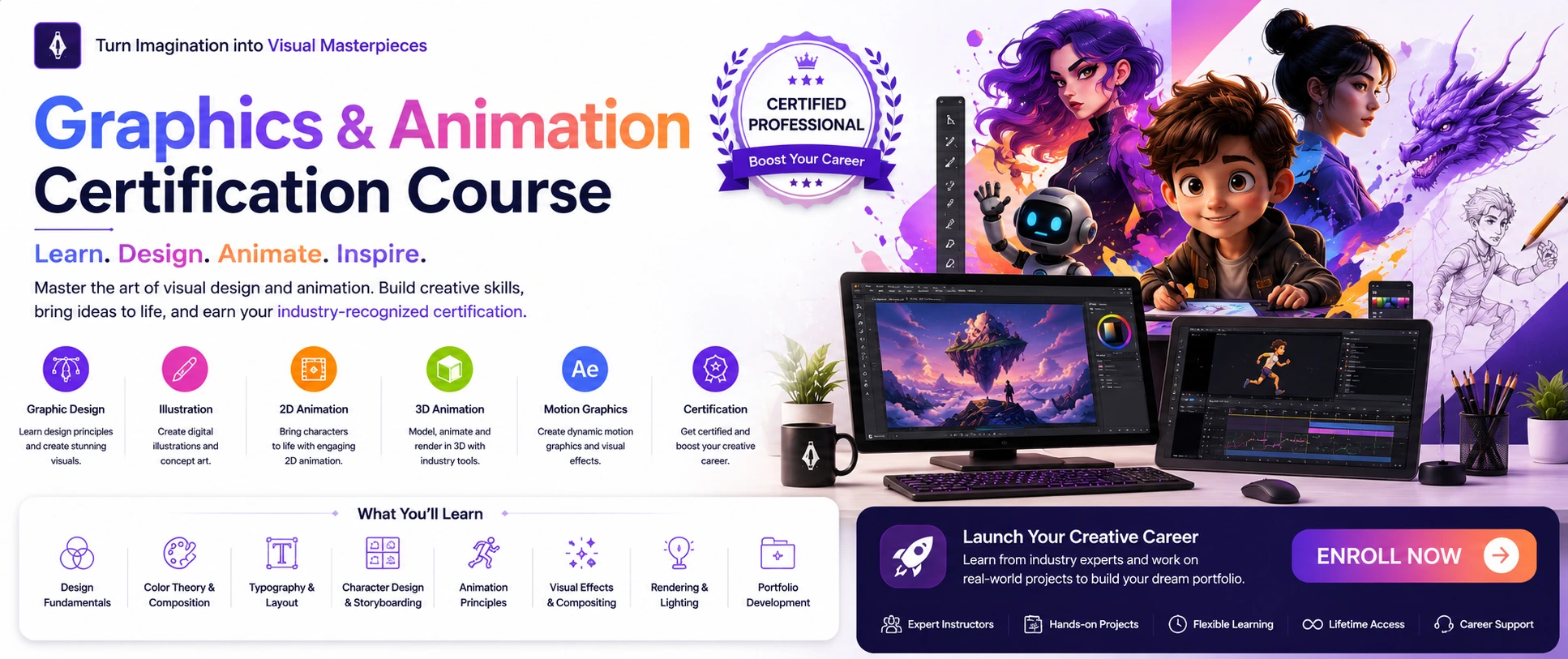
Graphics & Animation Designing is the professional field combining visual design principles with animated storytelling to create compelling static and dynamic content for film, television, advertising, web, and digital media using tools like Adobe Photoshop, Illustrator, After Effects, and Premiere Pro. Career opportunities include graphic designer, animator, VFX artist, motion graphics designer, game designer, and creative director across entertainment, advertising, gaming, marketing, and digital media industries.
Graphics & Animation Designing Course Synopsis
Master the dynamic blend of visual design and animated storytelling with this comprehensive Graphics & Animation Designing Course, designed to transform beginners into professional creators capable of building stunning visual content and animations for film, television, advertising, web, and digital media. This hands-on, industry-focused program combines core graphic design fundamentals with advanced animation techniques, teaching you to create static visuals, motion graphics, 2D/3D animations, and visual effects using industry-standard tools like Adobe Photoshop, Illustrator, After Effects, Premiere Pro, and animation software.
What You’ll Learn
Outcomes
By completion, you'll confidently apply graphic design principles, master Adobe Creative Suite tools for both static and animated content, create professional logos and brand identities, design marketing materials, produce 2D/3D animations, execute motion graphics and visual effects, edit videos professionally, and possess a diverse portfolio showcasing graphic design projects, animated shorts, motion graphics pieces, and VFX work ready for careers in graphic design, animation, film production, advertising, or freelance work across creative industries including entertainment, media, and digital marketing sectors.
Graphics & Animation Designing Course – Topic Points
Graphic Design Fundamentals, Photoshop & Illustrator
-
Design Foundations
- Design Principles: Color theory, typography, layout design, composition, visual hierarchy, balance, grid systems
- Visual Communication: Message delivery strategies and audience targeting
- Layout Essentials: Balance, alignment, proximity, contrast, white space, grid organization
-
Adobe Photoshop Mastery
- Interface & Setup: Workspace, panels, tools, resolution (RGB/CMYK), color modes, canvas size
- Core Tools: Selection tools (Marquee, Lasso, Magic Wand, Object Selection), layers (creation, grouping, masking, blending modes)
- Image Editing: Crop, resize, transform, content-aware features, masks (layer, clipping, opacity)
- Color & Retouching: Color correction (exposure, contrast, curves, levels), retouching tools (Spot Healing, Patch, Clone Stamp)
- Graphics Creation: Shapes, text layers, custom designs, brushes, digital artwork
-
Adobe Illustrator Expertise
- Vector Fundamentals: Vector vs. raster, scalability, Pen tool, Pencil tool, Shape tools mastery
- Paths & Shapes: Anchor points, path editing, Shape Builder, Pathfinder operations
- Color & Typography: Fills, strokes, gradients, swatches, text tools, formatting, effects
- Logo & Brand Design: Professional logo creation, icon design, brand identity systems, vector illustration
- Exporting: AI, EPS, SVG, PDF formats for different uses
-
Digital & Print Design
- Web Graphics: UI design, social media visuals, email headers, banner ads, web optimization (file size, formats)
- Marketing Materials: Posters, flyers, brochures, business cards, packaging, menus, catalogs
- Print Preparation: CMYK color mode, bleed/margins, 300dpi resolution, print-ready file delivery
2D Animation, Motion Graphics & After Effects
-
2D Animation Fundamentals
- Animation Basics: What is animation, history, 12 Principles (squash & stretch, anticipation, staging, timing)
- Character Design: Creating appealing animation characters, storyboard visual planning
- Keyframe Animation: Primary poses, tweening (in-between frames), frame rates, timing
- Simple Projects: Bouncing ball, walking character, basic animation exercises
-
Adobe After Effects Mastery
- Interface & Compositions: Workspace, panels, timeline, creating comps, nesting pre-compositions
- Keyframing & Animation: Position, scale, rotation, opacity, anchor point, motion paths, Easy Ease, Graph Editor
- Text Animation: Animated titles, type effects,lower thirds
- Masking & Compositing: Layer masks, clipping masks, opacity masks, track mattes, transparency control
- Visual Effects: Blur, color correction, distortion effects, puppet tools
- Tracking: Motion tracking, mask tracking, camera tracking
- 3D Features: 3D layers, lights, cameras, depth of field
- Rendering: Output modules, export formats (H.264, MOV, MP4), codecs
-
Adobe Premiere Pro for Video Editing
- Interface & Import: Workspace, panels, timeline, importing footage, organizing assets
- Timeline Editing: Insert, overwrite, ripple delete, transitions (cross dissolve, custom)
- Audio & Color: Audio levels, mixing, noise reduction, Lumetri Color, grading, cinematic looks
- Multi-Cam & Titles: Syncing multiple angles, creating text overlays
- Exporting: H.264, MOV, MP4, codecs, workflow integration with Photoshop, Illustrator, After Effects
-
Motion Graphics Projects
- Logo Animations: Creating animated brand logos
- Title Sequences: Film/TV opening sequence design
- Transitions & Lower Thirds: Video transitions, name/title overlays
- Infographic Animation: Animating data and charts
- Promotional Content: Animated advertisements, social media animations
- Explainer Videos: Animated educational content creation
-
Character Animation
- Character Rigging: Preparing characters for animation
- Walk Cycles & Facial Animation: Animating walking, expressing emotions through faces
- Lip Sync & Action: Matching animation to dialogue, dynamic movements
- Short Films: Producing animated shorts with storytelling techniques
3D Animation, VFX & Game Design
-
3D Animation Basics
- 3D Fundamentals: What is 3D animation, software introduction, interface and tools
- 3D Modeling: Creating shapes and objects, basic modeling techniques
- Texturing & Lighting: Applying materials to 3D models, creating 3D lights and shadows
- Rigging & Animation: Adding skeleton to characters, animating objects and characters
- Rendering & Cameras: Creating final 3D visuals, 3D camera movements
- Simple Projects: Animating objects, creating 3D scenes
-
Visual Effects (VFX) Mastery
- VFX Fundamentals: What is VFX, applications in film, compositing, tracking, distortion
- Matte Painting: Creating realistic backgrounds, building digital environments
- Particle Effects: Creating sparks, fire, smoke effects
- CGI Integration: Combining 3D with live footage
- Green Screen Work: Removing backgrounds, damage restoration
- Special Effects: Creating explosions, magic, transformations
- VFX Portfolio: Showcasing effects work professionally
-
Game Design Basics
- Game Fundamentals: What is game design, development process
- Game Assets: Creating visuals for games, UI design for games (interfaces, menus)
- 2D & 3D Game Animation: Animating game characters, creating 3D models for games
- Unity Basics: Introduction to game engine, simple game creation
- Mobile Game Design: Designing for smartphones, game UI animations
- Game Portfolio: Showcasing game design work professionally
Real-World Projects, Portfolio Building & Career Development
-
Real-World Design & Animation Projects
- Commercial Projects: Creating marketing materials for businesses
- Social Media Content: Short-form visual content for platforms (Instagram, TikTok, Facebook)
- Branding Projects: Complete brand identity development from scratch
- Editorial Design: Magazine and publication layouts
- Animation Projects: Creating animated shorts, explainer videos
- VFX Projects: Visual effects for film and video
- Game Projects: Creating game assets and UI elements
- Case Studies: Documenting design process, challenges, and results
- Client Work Simulation: Practicing real client project scenarios
-
Portfolio Development
- Portfolio Selection: Choosing best projects to showcase effectively
- Portfolio Organization: Presenting work professionally and logically
- Digital Portfolio: Creating online portfolio website (Behance, personal site)
- Print Portfolio: Designing physical presentation book for interviews
- Case Study Documentation: Writing process narratives for projects
- Visual Presentation: Arranging projects for maximum impact
- Portfolio Updates: Maintaining and refreshing portfolio regularly
-
Career Paths & Industry Navigation
- Career Paths Overview: Graphic designer, animator, VFX artist, motion graphics designer, UI/UX designer
- Industry Standards: Understanding deliverables, file formats, client expectations
- Specializations: Motion graphics designer, packaging designer, editorial designer, game designer
- Job Market: Current trends and opportunities in graphics & animation
- Salary Expectations: Understanding compensation ranges by role and location
-
Freelance & Business Skills
- Freelance Workflow: Pricing strategies, writing contracts, managing timelines
- Client Communication: Clear communication, managing expectations, feedback handling
- Building Clientele: Finding and retaining repeat clients
- Prospect Outreach: Marketing yourself to potential clients
- Proposal Writing: Creating compelling project proposals
- Invoice Management: Tracking payments and billing clients
-
Workflow Optimization & Professional Practices
- Workspace Customization: Organizing panels for maximum efficiency
- Keyboard Shortcuts: Essential commands and customization for speed
- Templates: Creating project templates for repetitive workflows
- Asset Organization: Best practices for managing large projects
- Version Control: Saving project iterations (v1, v2, final)
- Collaboration: Working with teams on shared projects
- Storage Management: Archive strategies, cloud backup (Google Drive, Dropbox)
- erformance Tuning:P Optimizing software settings for speed
- Troubleshooting: Resolving common issues and errors
- File Naming: Consistent naming conventions for organization
- Backup Strategies: Protecting your work from loss
- Professional Ethics: Copyright laws, plagiarism avoidance, originality
Ofline
Ofline
Course Details
 Duration
9 Months
Duration
9 Months
 Entry Eligibility Requirement
10 /12 Th
Entry Eligibility Requirement
10 /12 Th
 Mode of study
Online / Ofline
Mode of study
Online / Ofline
 Mode of Type
Regular, Weekends
Mode of Type
Regular, Weekends
 Placement
99% Assistance
Placement
99% Assistance
Professional Software’s